
Smoovie

Beautifully simple stop motion animation

Stop motion animation is the ideal starting point for anyone wishing to explore the magic of animation. It is the process of capturing action frame by frame and then running the frames together to make a movie. Think of those well-loved characters Wallace and Gromit, or films like Chicken Run and Fantastic Mr Fox. Stop motion animation filled them with life and personality and you can do it too!

This fascinating technique makes it easy for anyone to be a movie-maker. You don’t have to be an amazing artist or a whizz with complicated software to produce your own masterpieces.

Everyone can be creative and with Smoovie it’s even easier! Beautifully crafted and instinctive to use, Smoovie is all you need to effortlessly capture, edit and share stop motion animations. Just add imagination!

How does Smoovie work?

iSight camera

Cameras

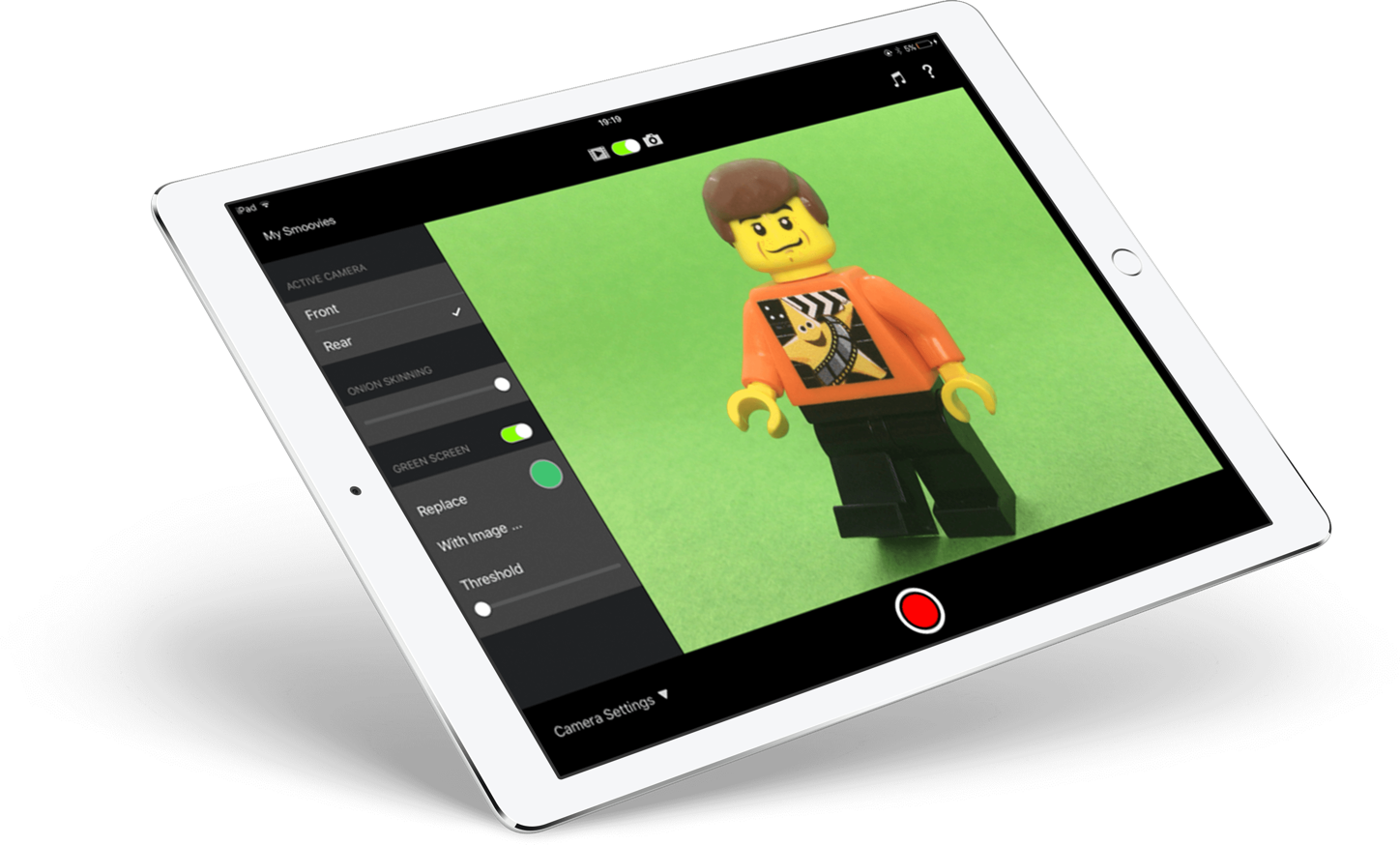
Use the built-in iSight cameras on your Mac or iPad to capture images live into Smoovie. Capture images remotely with your digital SLR camera and import from iPhoto or simply drag and drop straight into Smoovie! With the Mac version you can use any OS X compatible USB webcam for more flexibility when capturing live images straight into Smoovie.

Onion skinning

Onion Skinning

Onion skinning lets you overlay the current live feed from your camera with the last image you captured, enabling you to compare positions between the two, helping to get each shot just right. It’s also really handy if you accidentally knock something over. Onion skinning helps you to place everything back where it should be!

Import

Import

If you prefer to capture the action away from your Mac or iPad, Smoovie lets you import existing images from your photo library or other apps.

Scenes

Scenes

Tell a better story! Smoovie is the only stop motion app that let’s you arrange your content in scenes. Cut, copy, paste and duplicate scenes and drag them around to change the running order - all with full undo support so you’re safe to experiment! What’s more, you can adjust the speed of each scene individually to give your animations just the right pace and mood.

Filmstrip

Filmstrip

Precision editing. The filmstrip shows all the individual frames in your scenes. Cut, copy, paste and duplicate them, drag and drop within scenes or even from one scene to another - all with full undo support!

Soundtrack

Soundtrack

The right piece of music can really enhance the mood of your movie. Smoovie allows you to browse your music library so you can pick just the right track for your creation!

Instant Playback

Instant Playback

Making a stop motion animation should be fun. The last thing you want to do is have to wait for your movie to render before you can watch it. Smoovie instantly plays back the action whenever you want, making it the fastest (and most fun) stop motion app available!

Virtual Cinema

Virtual Cinema

Once you’ve finished creating your masterpiece, sit back and enjoy watching it in Smoovie’s virtual cinema. Or you can even watch it on your TV with Apple’s AirPlay Mirroring. All you need to bring is the popcorn!

Smoovie lets you share your animations directly to popular online services such as YouTube or Vimeo*. You can also share to your video library, or export your creation directly as a movie file.

YouTube Vimeo iTunes Photos app
* Sharing to Vimeo works with Smoovie for Mac only.

Great for education

We believe children should be free to be creative without having to struggle with complicated software. Smoovie is the ideal stop motion animation app for the classroom. It just works!

The art of stop motion animation as a creative storytelling tool has become widely recognised as a valuable teaching method. Please check out our Education page.

Loved by families

Families around the world have discovered how much fun it is to spend time together making animations with Smoovie. We love to receive animations from our Smoovie fans showing how they are getting on and we are constantly amazed at how much imagination and creativity there is out there.

Need help?

We’re here if you need us.

Please check out our Video Tutorials or read through our FAQs, and if we can help with anything else just get in touch.